CAT ET 2026B Main Features and Diagnostic Functions
1. Read Active and Logged Diagnostic Trouble Codes
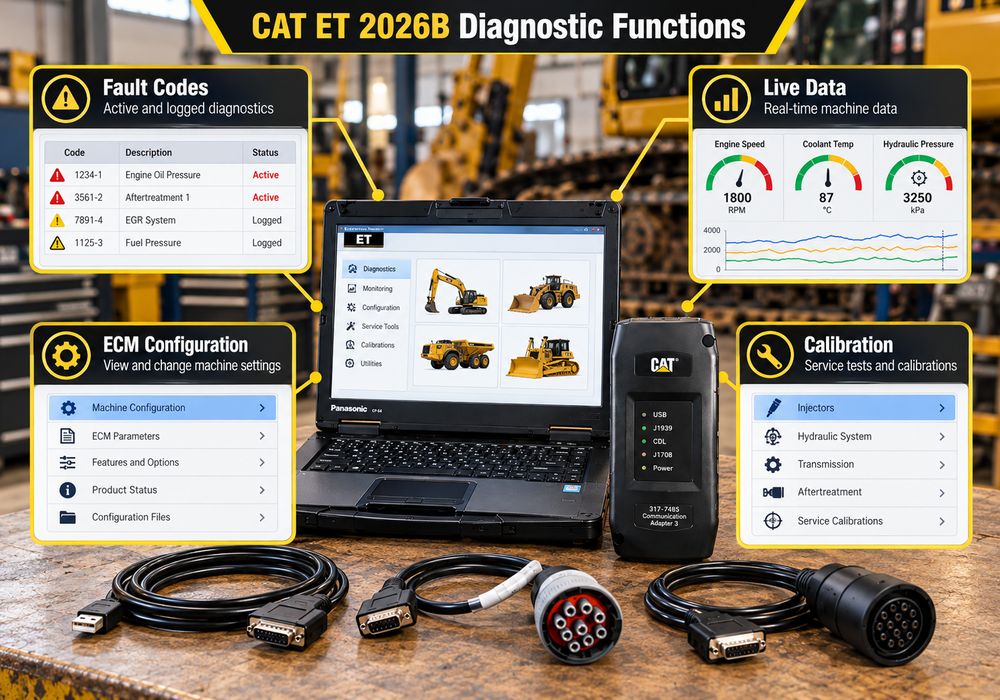
Caterpillar ET 3 Diagnostic Adapter allows technicians to identify diagnostic conditions reported by compatible electronic control modules.
Active diagnostic codes indicate faults that are currently detected, while logged codes provide information about previously recorded conditions.
Depending on the ECM, diagnostic information may include:
- Diagnostic code identification
- Active or logged status
- Event information
- Occurrence counts
- Additional operating information associated with recorded faults
For example, if a Caterpillar excavator experiences reduced engine power, technicians can examine active faults, review logged events, and compare live engine parameters before replacing components.
A diagnostic code identifies the affected circuit or system condition; it does not necessarily prove that an individual sensor or component has failed.
2. Monitor Real-Time Engine and Machine Parameters
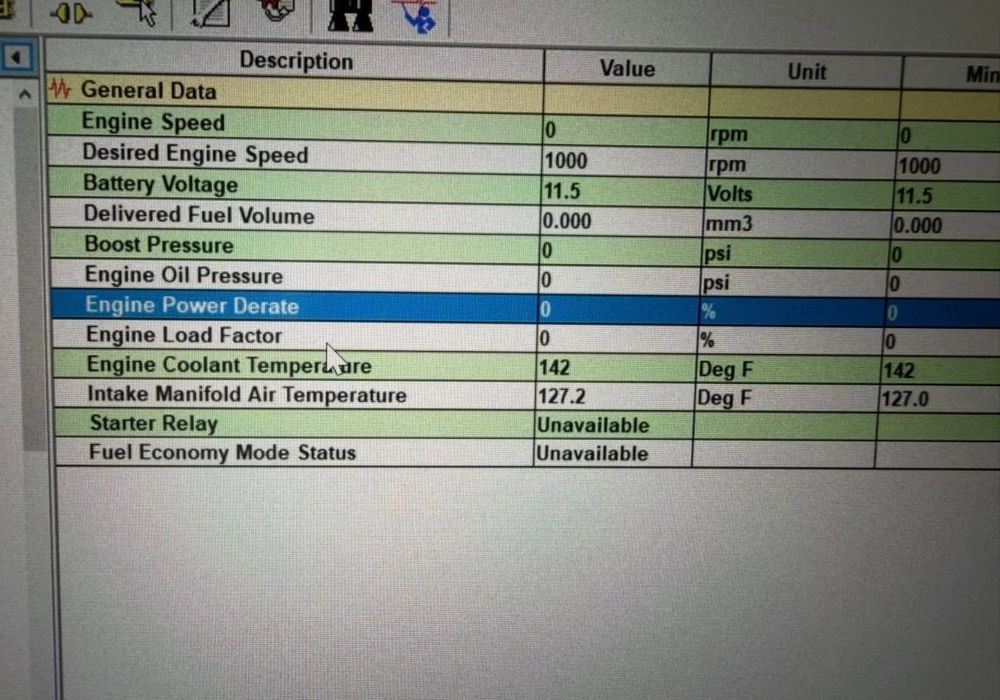
CAT ET can display multiple operating parameters simultaneously.
Depending on the ECM and machine configuration, available parameters may include:
- Engine speed
- Coolant temperature
- Oil pressure
- Fuel pressure
- Intake manifold pressure
- Boost pressure
- Sensor voltage
- Switch status
- Engine load
- Aftertreatment-related parameters
Technicians can compare live values with the appropriate Caterpillar service specifications to determine whether operating conditions are normal.
3. Record and Graph Diagnostic Data
Intermittent problems are often difficult to reproduce during a short workshop inspection.
CAT ET supports recording and graphing of available status parameters, allowing technicians to investigate changes over time.
This can be useful when examining:
- Intermittent engine derating
- Abnormal temperature changes
- Fluctuating sensor values
- Fuel pressure irregularities
- Engine hesitation under load
- Faults that appear only under particular operating conditions
Recorded information can help technicians distinguish an electrical or control-system problem from a mechanical issue.
4. Review and Configure ECM Parameters
CAT ET can display ECM configuration information and, where authorized, allow changes to supported parameters.
The available settings vary by engine family and ECM.
Certain configuration changes may require additional authorization, factory passwords, or access to Caterpillar service resources.
Before changing an ECM configuration, technicians should save the existing settings and consult the correct service documentation.
5. Perform Diagnostic Tests and Calibrations
CAT ET supports various diagnostic tests and calibration procedures for applicable machines and engines.
Examples may include:
- Sensor calibration procedures
- Actuator tests
- Component function tests
- ECM-related service adjustments
- Machine-specific calibration routines
Not every test is available on every product.
Follow the exact service procedure, observe equipment safety requirements, and confirm the machine is in the required operating condition before initiating any active test.
6. Generate Diagnostic Reports
CAT ET can produce service information and diagnostic reports, including supported Product Status Reports.
These reports help workshops document:
- Machine identification
- ECM details
- Diagnostic codes
- Configuration information
- Equipment condition before repair
- Results after troubleshooting
Saving before-and-after reports is especially helpful when managing fleet maintenance and documenting recurring equipment faults.
Leave a Reply